

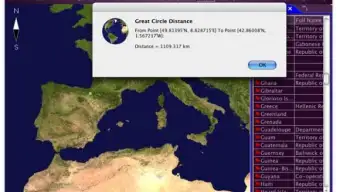

Description
Download Earth Explorer – Free Trial Geography Software for Mac & Windows
Overview
Earth Explorer is a lightweight, trial‑version science and education program that brings global geography straight to your desktop. Developed by Motherplanet, this multiplatform tool is designed primarily for Mac OS X (including earlier versions) while also offering a Windows counterpart. The current release, version 6.1, received its most recent update on March 20 2015, ensuring that core map layers and data sets remain relevant for classroom and personal exploration. Because it targets the Geography subcategory, Earth Explorer focuses on interactive world maps, satellite imagery, and layered data that help students, teachers, and hobbyists visualize planetary features without the need for expensive GIS software.
The software’s modest system requirements make it especially attractive for users who lack ample storage space. In fact, the installer occupies far less disk space than many competing science tools, which is why it has become a popular choice among United States educators seeking a free, secure, and easy‑to‑install alternative. Since its inclusion in our software catalog in 2015, Earth Explorer has recorded 1,909 downloads, demonstrating steady interest despite a recent dip in weekly activity. Whether you are a geography teacher looking for an engaging visual aid, a student preparing a project on climate zones, or simply a curious explorer, the trial version provides a risk‑free opportunity to evaluate its capabilities before committing to a full license.
Key Features of Earth Explorer
- Interactive World Maps: Pan, zoom, and rotate a high‑resolution globe to examine continents, oceans, and political boundaries in real time.
- Layered Data Sets: Toggle overlays such as topography, climate zones, population density, and tectonic plates to gain multi‑dimensional insight.
- Satellite Imagery Integration: Access up‑to‑date satellite photos from public sources, allowing users to compare historical and current land use.
- Educational Toolkits: Pre‑built lesson plans and quiz modules align with common core geography standards for K‑12 curricula.
- Export Options: Save maps, screenshots, and data tables in common formats (PNG, CSV, PDF) for easy inclusion in reports and presentations.
- Multi‑Language Support: While the default download is in English, the interface supports additional languages via optional packs.
- Secure Trial Environment: The trial version runs in a sandboxed mode, ensuring that no personal data is collected without user consent.
Each feature is engineered to run efficiently on modest hardware, which means you can install Earth Explorer on older Macs or low‑end Windows PCs without sacrificing performance. The layered approach encourages users to experiment with different data combinations, fostering a deeper understanding of how physical geography interacts with human activity. For educators, the built‑in lesson plans reduce preparation time, allowing teachers to focus on discussion rather than technical setup. The export capability is especially valuable for students who need to embed visual evidence in research papers or presentations, making Earth Explorer a versatile asset across a range of academic tasks.
Installation & Usage Instructions
Downloading the Software
Begin by visiting the official Motherplanet website or a trusted software repository that hosts the trial version for Mac OS X. Click the Download Earth Explorer button; the installer file (typically a .dmg for Mac or .exe for Windows) will be saved to your default downloads folder. Because the program is free to trial, there is no hidden cost or mandatory credit‑card entry during this step.
Installing on macOS
1. Locate the .dmg file and double‑click to mount the disk image.
2. Drag the Earth Explorer icon into your Applications folder.
3. Eject the mounted image and launch the app from Applications.
4. macOS may display a warning about apps from unidentified developers. To proceed, open System Preferences → Security & Privacy → General and click “Open Anyway.” This step is safe because the trial version is digitally signed by Motherplanet.
Installing on Windows
1. Double‑click the .exe installer.
2. Follow the on‑screen prompts, accepting the End‑User License Agreement.
3. Choose an installation directory (the default works for most users).
4. Click “Install” and wait for the progress bar to complete.
5. Launch Earth Explorer from the Start menu or desktop shortcut.
First‑Run Configuration
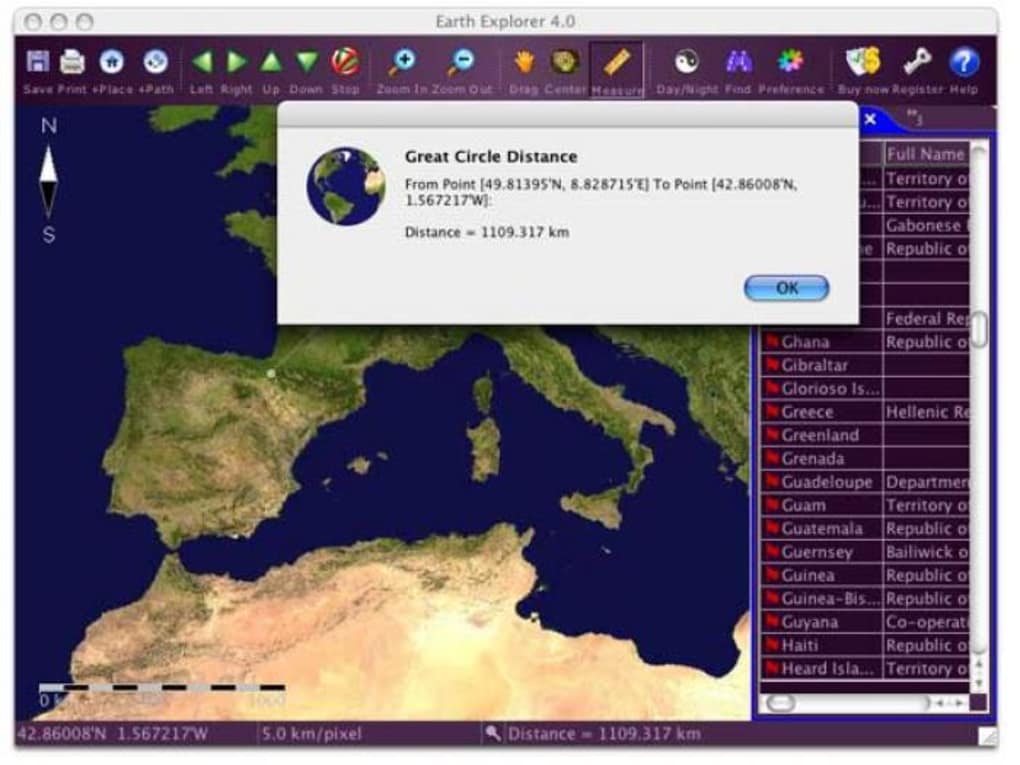
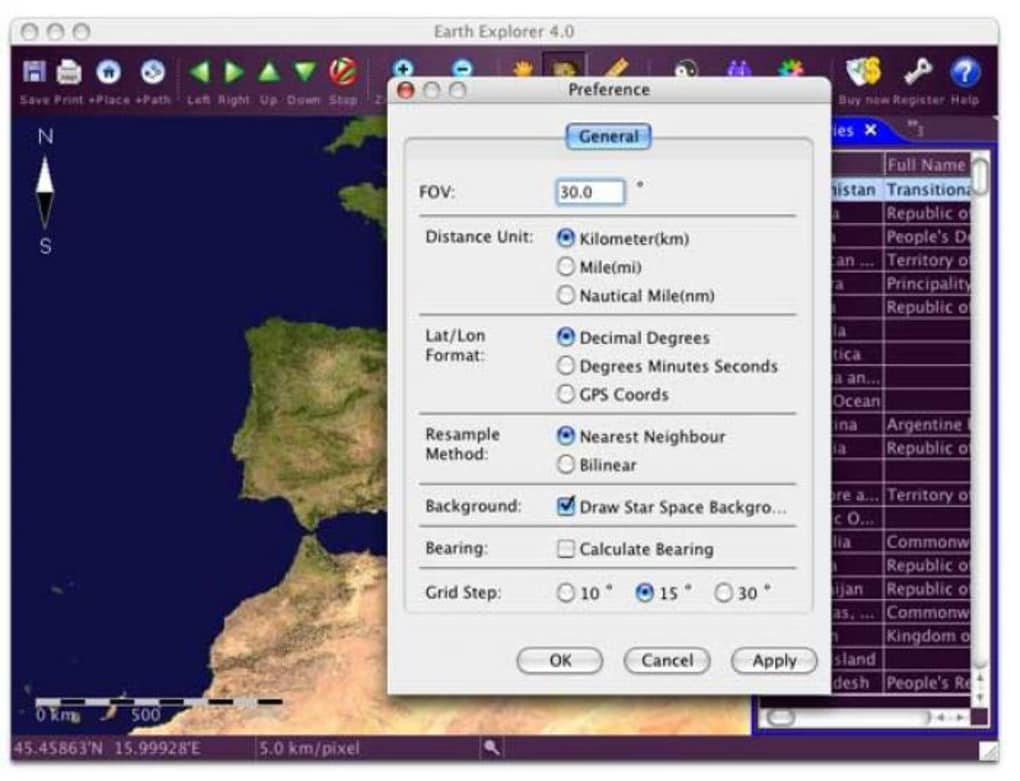
Upon first launch, the software walks you through a brief configuration wizard. You’ll select your preferred language, set default map layers, and optionally create a user profile to save custom settings. Because this is a trial, some premium layers (e.g., high‑resolution historical maps) remain locked, but the core dataset is fully functional. The intuitive toolbar at the top of the main window provides quick access to zoom, pan, layer toggles, and export tools. A built‑in help menu offers video tutorials and a searchable knowledge base, ensuring that even first‑time users can become proficient within minutes.
Compatibility, Pros & Cons
Supported Operating Systems: macOS 10.8 and later (including macOS Catalina, Big Sur, and Monterey); Windows 7, 8, 10, and 11 (32‑bit and 64‑bit). The software does not currently support Linux or mobile platforms such as iOS and Android.
Pros
- Low disk‑space footprint makes it ideal for older machines.
- Rich set of layered geographic data without requiring an internet connection after initial download.
- Free trial with no hidden fees or forced upgrades.
- User‑friendly interface suitable for both educators and casual learners.
- Export options facilitate seamless integration into reports and presentations.
- Secure sandboxed environment protects user privacy.
Cons
- Trial version restricts access to some premium data layers.
- Last major update was in 2015, so newer geopolitical changes may not be reflected.
- Lack of native mobile apps limits on‑the‑go usage.
- Occasional performance lag on very high‑resolution satellite imagery on older hardware.
- No built‑in scripting or advanced GIS analysis tools.
Frequently Asked Questions
Is Earth Explorer completely free?
The trial version is free to download and use indefinitely, but it does not include premium data layers or advanced features available in the paid license.
Can I use Earth Explorer on a school computer with limited admin rights?
Yes. The installer requires only standard user permissions on macOS and Windows. If your institution restricts software installation, you may need to request temporary admin access or use a portable version if provided by Motherplanet.
What geographic data sets are included in the trial?
The trial provides world political boundaries, basic topographic shading, climate zones, population density, and a selection of satellite imagery. Premium layers such as detailed historical maps or high‑resolution terrain models require a paid upgrade.
Will Earth Explorer run on macOS Ventura?
Yes. The application is compatible with macOS 10.8 and newer, which includes Ventura. Users may need to adjust security settings to allow apps from identified developers.
How do I export a map for a classroom poster?
Select the desired view, then click the Export button on the toolbar. Choose PNG for raster images or PDF for vector quality. Adjust resolution settings if needed, then save the file to your preferred location.
Conclusion & Call to Action
Earth Explorer delivers a compelling blend of interactive mapping, educational resources, and a lightweight footprint that makes it an excellent entry point for anyone interested in geography. While the trial version does impose some limitations on premium data, the core features are robust enough to support classroom lessons, student projects, and personal exploration of the planet’s surface. Its cross‑platform availability on macOS and Windows, combined with a secure sandboxed environment, ensures that both schools and individual users can adopt the software without concerns about compatibility or privacy.
If you’re ready to enhance your geography curriculum or simply want a free, secure tool to explore Earth’s features, click the button below to download the trial version of Earth Explorer today. Experience the world at your fingertips—no subscription required.
Pros: Lightweight, free trial, intuitive UI, strong export options.
Cons: Outdated data updates, no mobile app, limited premium layers.
Guides & Tutorials for Earth Explorer
How to install Earth Explorer
- Click the Preview / Download button above.
- Once redirected, accept the terms and click Install.
- Wait for the Earth Explorer download to finish on your device.
How to use Earth Explorer
This software is primarily used for its core features described above. Open the app after installation to explore its capabilities.
User Reviews for Earth Explorer 0
No reviews found





.webp)